
What’s actually inside System Data?
Apple’s storage panel hides gigabytes behind one opaque number. It isn’t a folder you can open, which is exactly why it grows unnoticed until your disk is full.
It isn’t one thing
“System Data” (called “Other” on older macOS versions) is what’s left after macOS has counted Applications, Documents, Photos, Mail, Music and iCloud Drive. Everything it can’t categorise lands here: caches, logs, application support files, disk images, plug-ins, virtual machines, font caches, and — if you write software — a great deal of build output.
Because it’s a residual category rather than a location, there’s no folder to open and no obvious way to see what’s in it. That’s the whole problem.
What usually accounts for it
- Xcode — DerivedData, iOS DeviceSupport for every device you’ve ever plugged in, Simulator runtimes, and old archives. Tens of gigabytes is normal.
- Package manager caches — npm, Yarn, Gradle, Maven, CocoaPods, pub, Cargo. They never shrink on their own.
- Browser caches — Safari, Chrome and Firefox each keep their own, per profile.
- Application support and logs — including files from apps you uninstalled months ago, since dragging an app to the Trash leaves them behind.
- Trash you forgot to empty, and disk images you downloaded once.
What’s safe to delete — and what isn’t
Caches and logs regenerate, so removing them is usually safe. But “safe” and “worth it” aren’t the same thing. Some caches exist precisely so your Mac doesn’t have to do expensive work twice — clearing the Photos, Mail, Spotlight or iCloud caches buys you very little disk and costs you re-downloads and hours of re-indexing.
That’s why Mac Cleaner Pro excludes 17 Apple caches by name rather than sweeping the whole of ~/Library/Caches. The list is in the rule pack, in the open, so you can check it.
Build artefacts are the opposite: large, safe, and regenerable by a command you already know. Deleting DerivedData costs you one slower build.
Seeing it for yourself
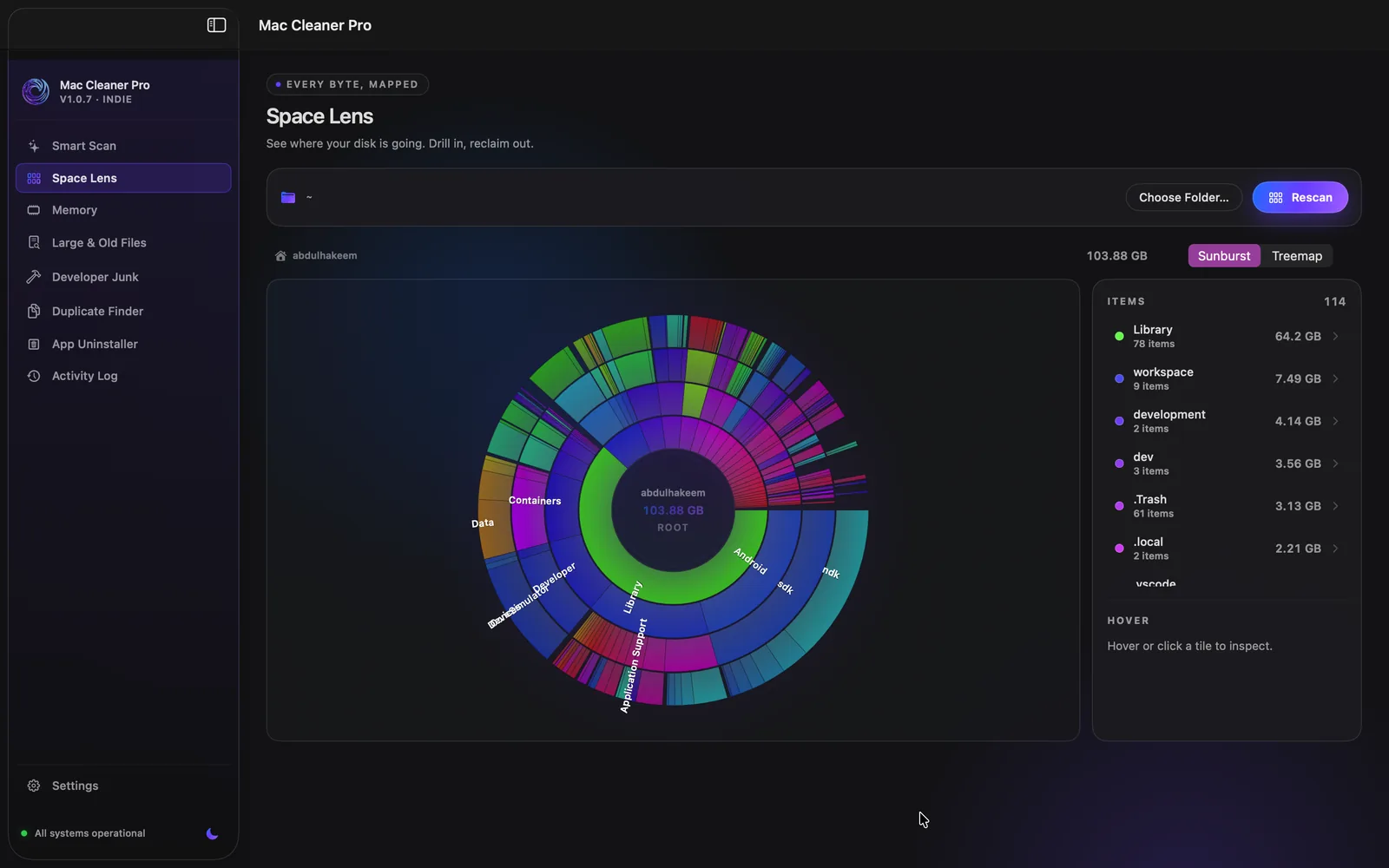
Mac Cleaner Pro is free and open source. It breaks System Data down rule by rule, shows you what it found, stages everything in the Trash, and lets you undo for 30 days. How deletion works →