
A free, open-source CleanMyMac alternative.
Mac Cleaner Pro does the job you actually want a Mac cleaner for — finding what’s eating your disk and removing it safely — without a subscription, without telemetry, and without asking you to trust a black box. Every cleanup rule is a readable, signed file in a public repository.
What we don’t have yet
Starting with the gaps, because a comparison table that only flatters its author isn’t worth reading — and because these are the first two things anyone sensible checks.
| Mac Cleaner Pro | CleanMyMac | MacSai | PureMac | |
|---|---|---|---|---|
| Notarized by AppleNeeds a $99/yr membership. Until then macOS asks you to approve the first launch. | No | Yes | Yes | Not verified |
| Homebrew caskBlocked on notarization. | No | Yes | Yes | Not verified |
| Price | Free | Paid | Free | Free |
| Open source | MIT | No | Yes | MIT |
| TelemetryA fresh install makes no network calls at all. | None | Not verified | Not verified | Not verified |
| Undo after cleaningTokens persist across relaunch. | 30 days | Not verified | Not verified | Not verified |
| Signed, readable rule packEd25519-verified before the app trusts a single path. | Yes | Not verified | Not verified | Not verified |
Cells reading “Not verified” are ones we have not confirmed from the vendor's own documentation. We would rather leave a gap than guess about someone else's product — corrections are welcome on GitHub. CleanMyMac is a trademark of MacPaw Inc.; MacSai and PureMac are independent open-source projects. No affiliation or endorsement is implied.
You review everything before it goes
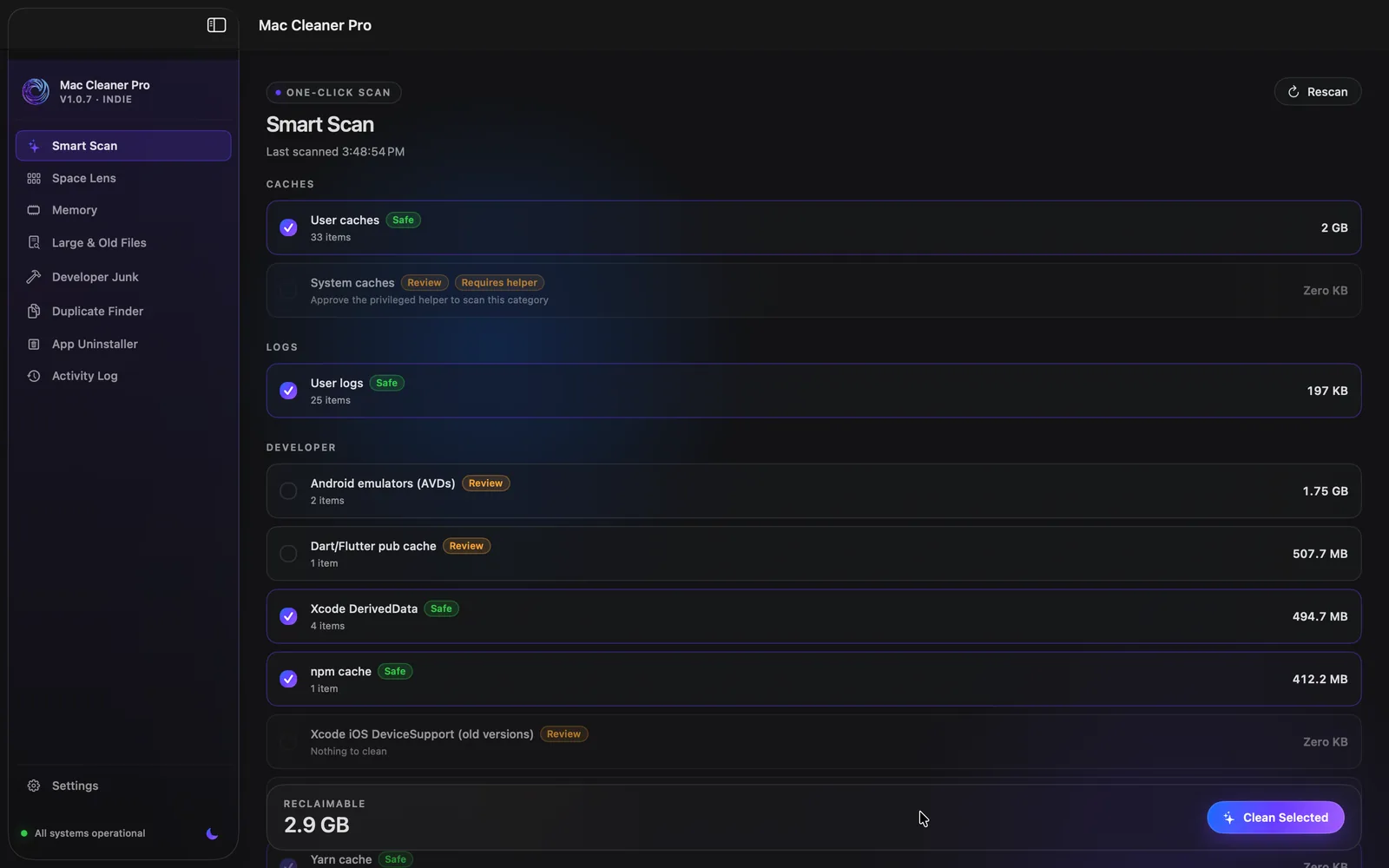
Cleaning user caches skips 17 Apple caches by name — Safari webpage previews, CloudKit, Photos, Mail, Notes, Find My, Spotlight suggestions and more — because deleting those costs you re-downloads and re-indexing rather than freeing meaningful disk. That list is in the rule pack, so you can check it rather than take our word. How deletion works →
About that Gatekeeper warning
The build is ad-hoc signed and not notarized, so macOS will ask you to approve the first launch. That warning is accurate and we’re not going to talk you out of it. What we can do instead is publish a SHA-256 checksum with every release, so you can confirm the file you downloaded is the file we built, and publish the entire source so you can see what it does. Installing, step by step →